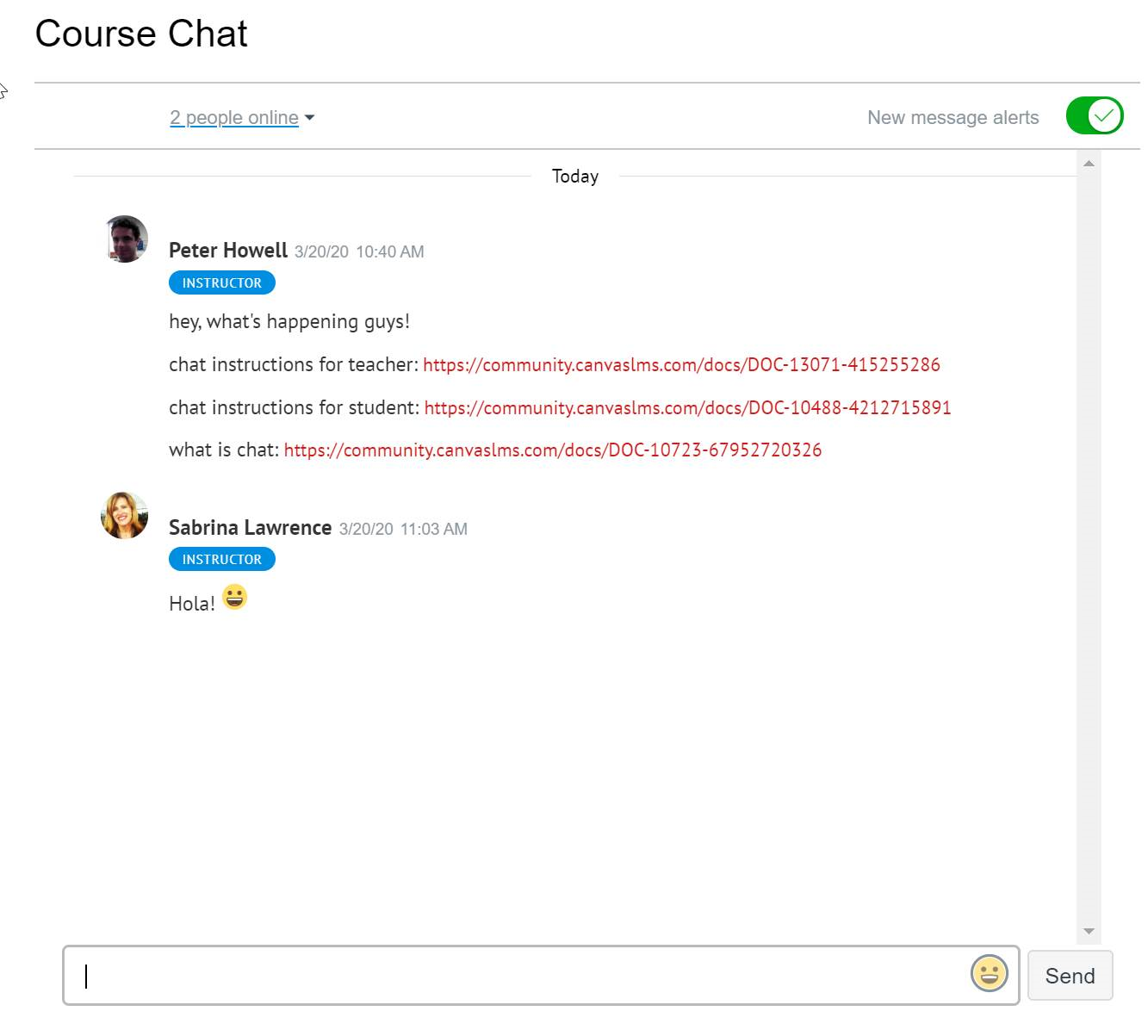
How To Use Text Chat
Set up text chat in iLearn
- Add an item to a module

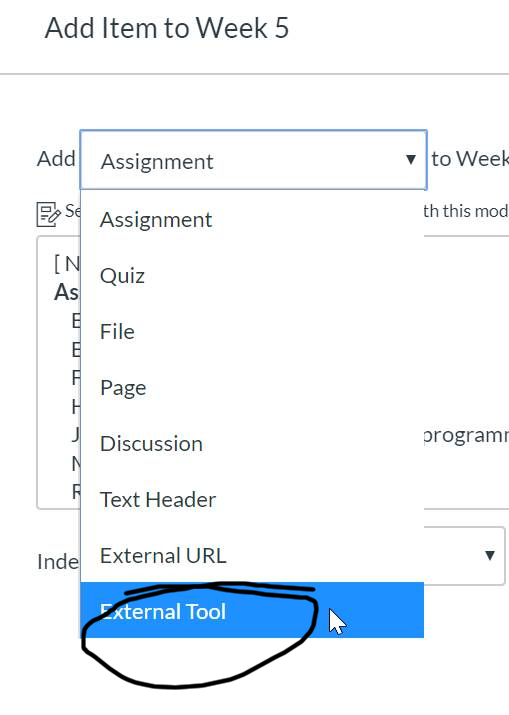
- Choose “External Tool”
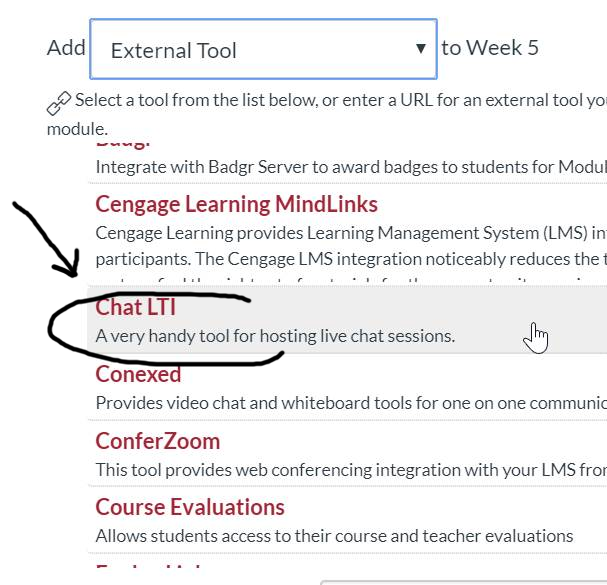
- Choose “Chat LTI”
- You can give it a more informative name. Something like
“Live chat Tuesdays & Thursdays 5pm-6pm”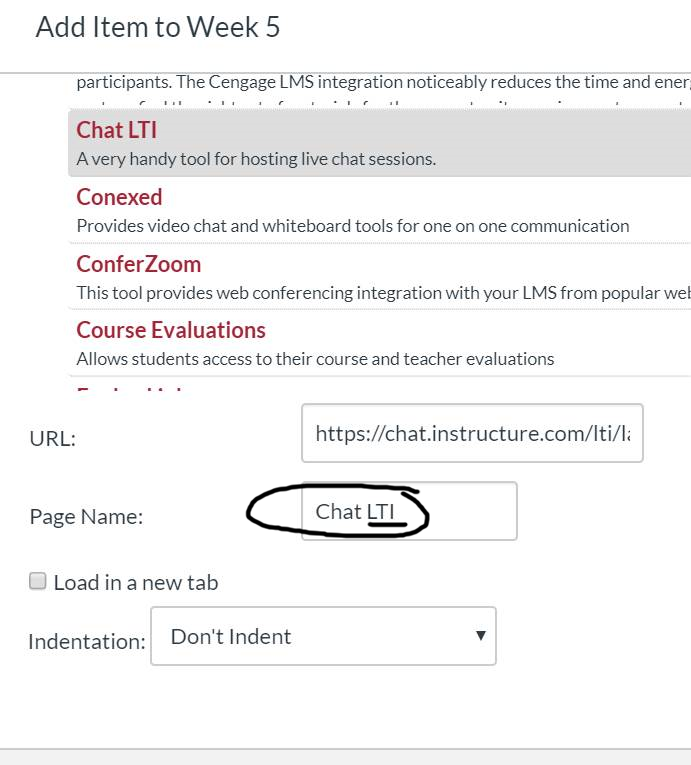
- Click “Add Item” and you should see it in your modules list. Be sure to publish it.

- Now you have a basic but useful text chat area for your class. Enjoy!